Start with useful defaults
Banner, grouped temperature telemetry (disk/CPU/GPU/memory), disk usage, battery, and calendar modules give you a practical MOTD on day one.
mac-motd is a modular message-of-the-day tool for macOS and zsh that can be expanded with your own modules without giving up a simple install and upgrade path.
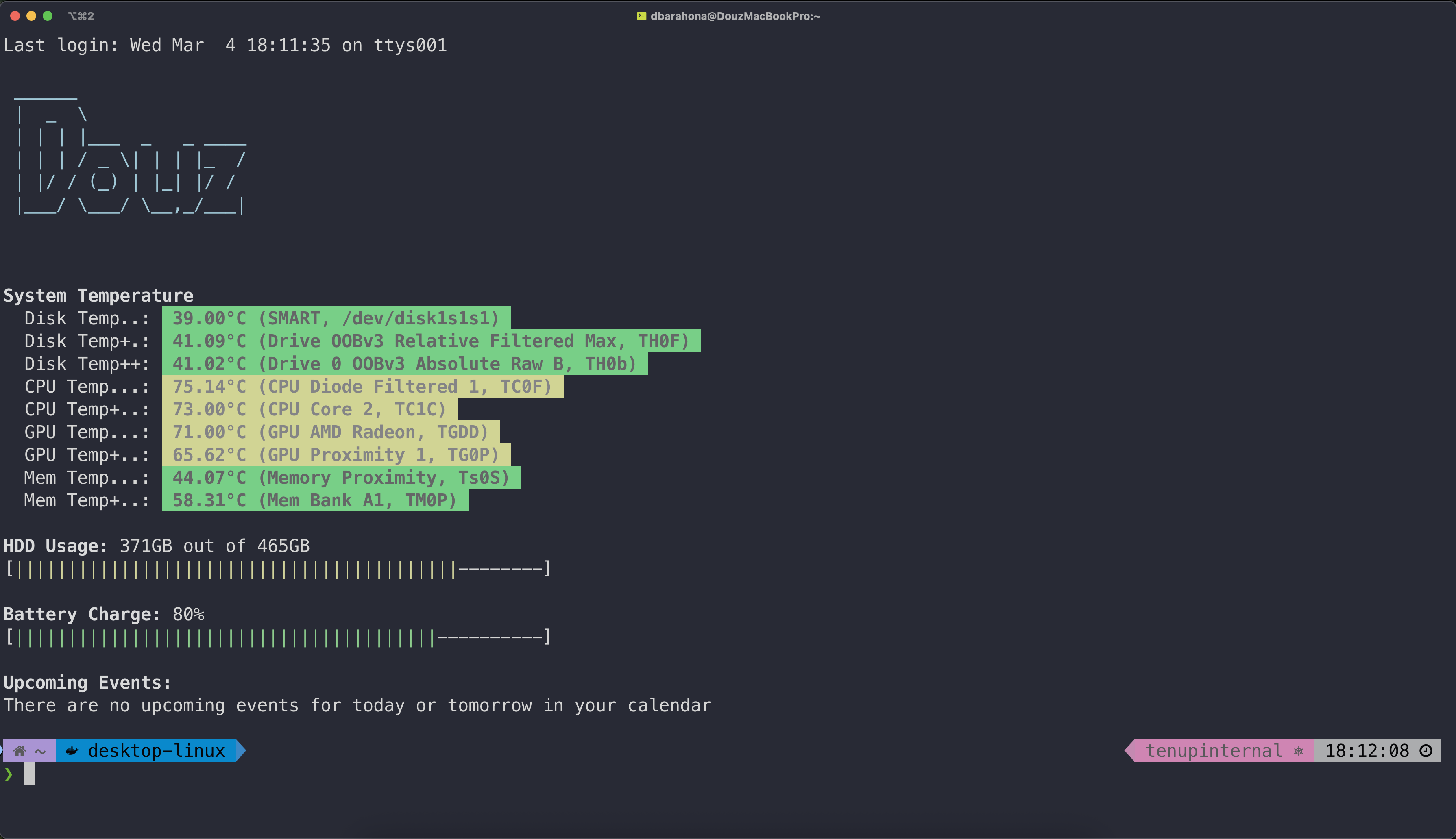
mac-motd ships with a useful default set of modules, but the point is not the default. The point is that your terminal startup becomes a small, readable system you can adjust and grow over time.
Banner, grouped temperature telemetry (disk/CPU/GPU/memory), disk usage, battery, and calendar modules give you a practical MOTD on day one.
Choose which modules run and in what order so the output stays focused on your machine and workflow.
Add your own modules as shell scripts when the built-in set is not enough for your setup.
Homebrew is the intended path. Install the package, enable it in your shell, and use the same flow again when it is time to upgrade.
Tap the formula, install the package, then wire it into your shell.
brew tap douz/tap
brew install mac-motd
mac-motd installRefresh the package, then rerun install to update the local runtime.
brew update
brew upgrade mac-motd
mac-motd installRemove the runtime, and optionally remove your config too.
mac-motd uninstall
mac-motd uninstall --purge-config
brew uninstall mac-motd
mac-motd keeps your settings in ~/.douz.io/motd_config.zsh. That file
controls module order, module selection, and user-facing options like banner text,
while keeping your personal setup separate from package updates.
modulesArray=(
  banner
  temperature
  hdd_usage
  battery
  calendar_events
)

bannerText="Douz"mac-motd toolUse the CLI wrapper to install the runtime, run it manually, refresh the template, remove it, or check that required tools are present.
mac-motd run
mac-motd doctor
mac-motd install --refresh-configmac-motd is intentionally structured so adding a new module stays simple. If you want to contribute a module or build one just for yourself, the repo already has a clean place for it and documentation for how modules are registered.
Modules live in modules/<name>.sh. Register dependencies in the runtime,
document the module, and add it to your config when you want it enabled.
touch modules/<name>.sh
edit motd.sh
edit modules/README.md
edit ~/.douz.io/motd_config.zshIf you want to build or contribute a module, the repository README and module reference are the right starting points.